One Sutherland App Installation Guide
1
Download the Application
2
Standard alert from Apple appears
3
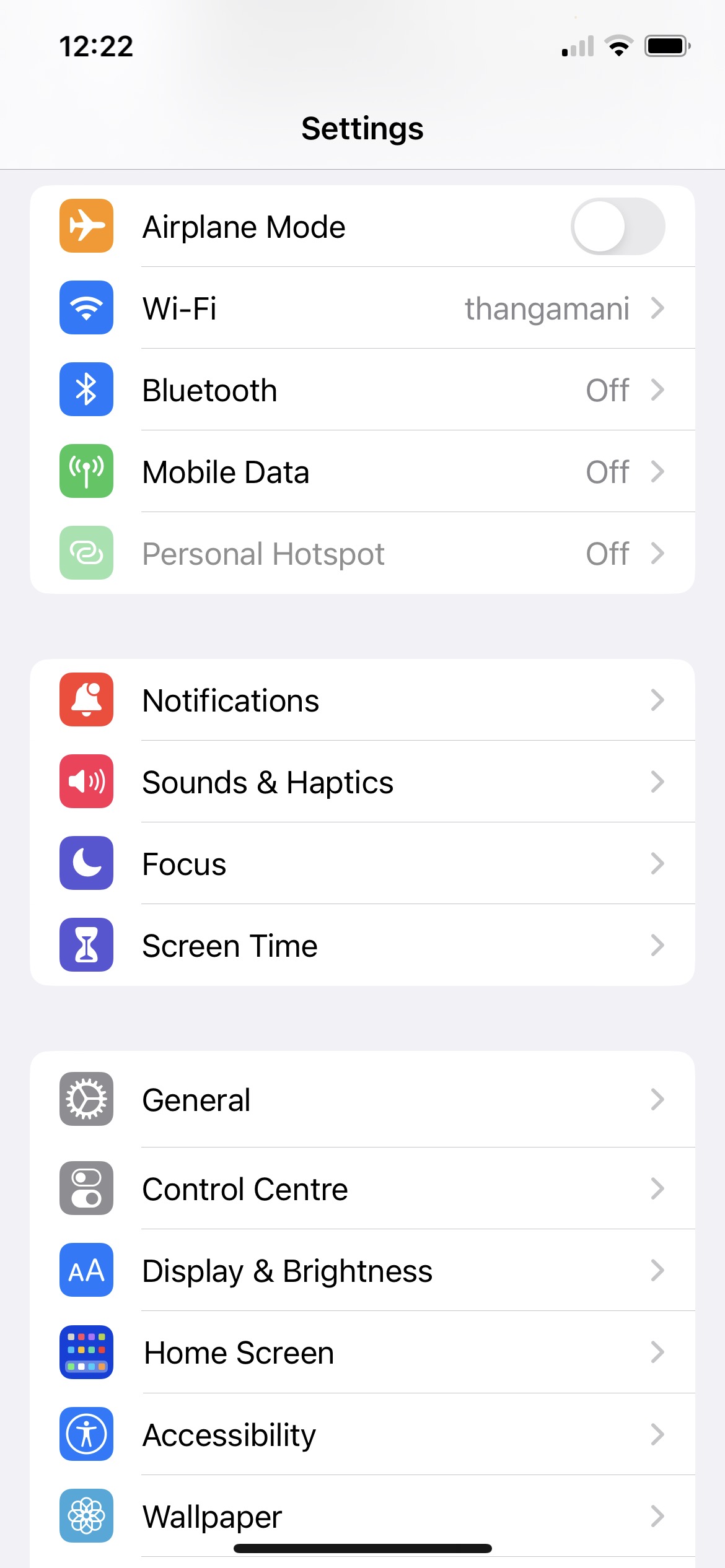
Navigate to General under iPhone settings
4
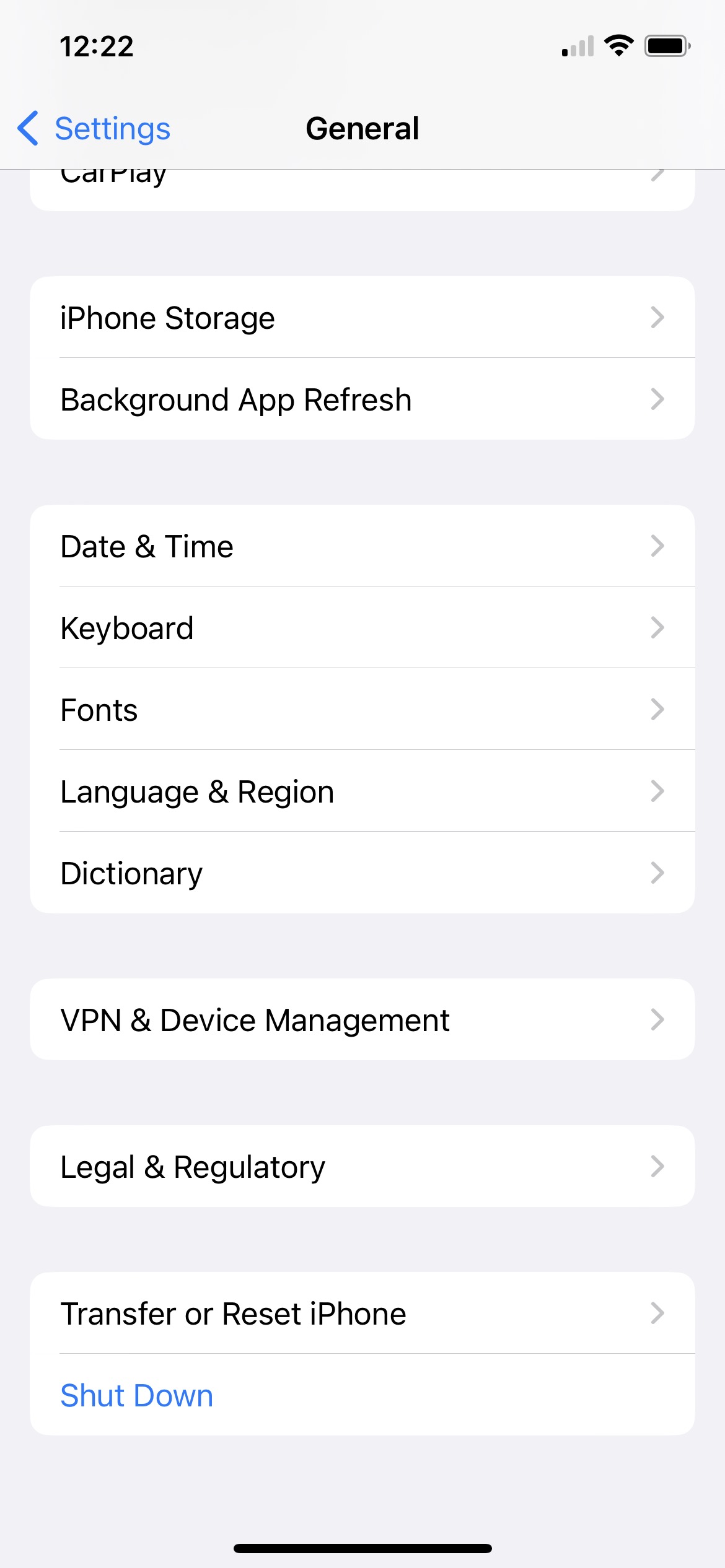
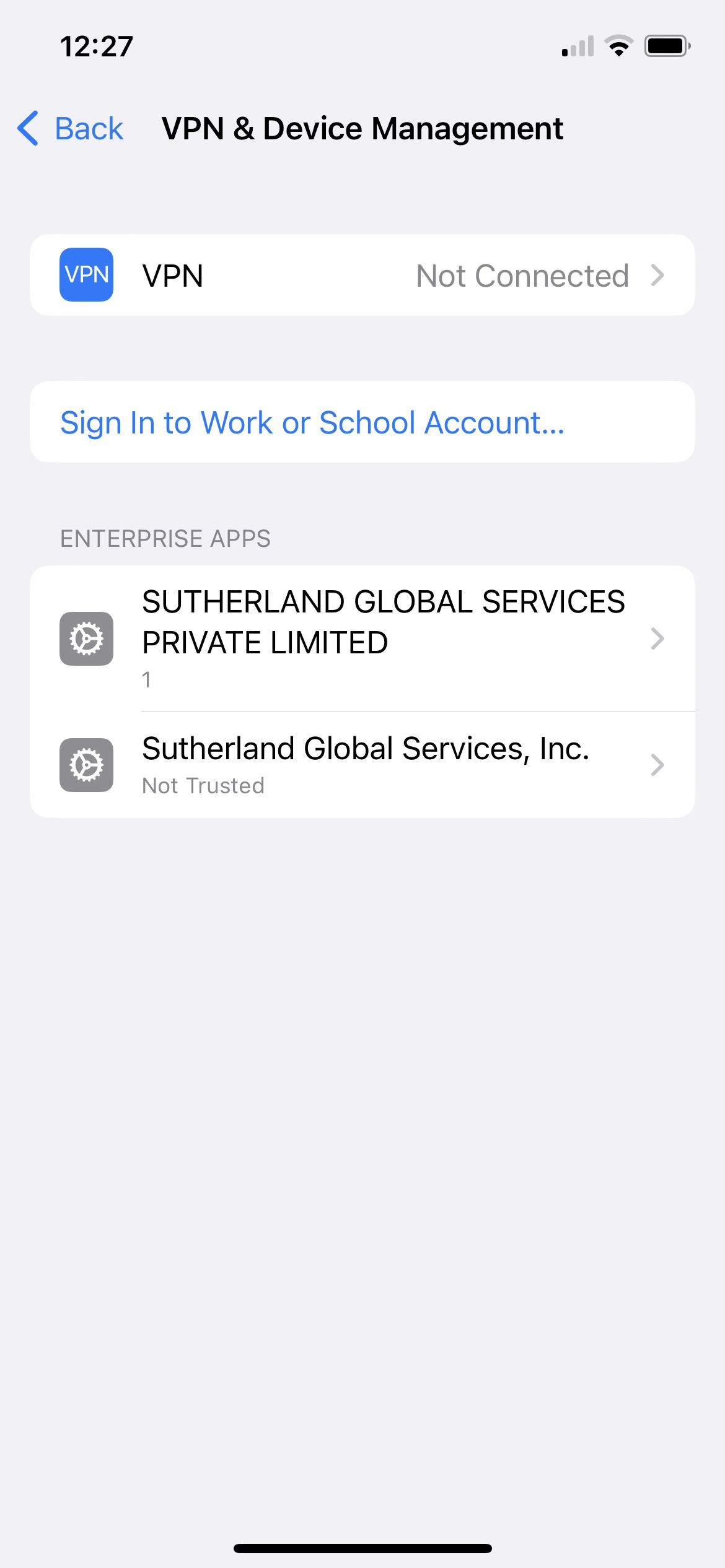
Click VPN & Device management
5
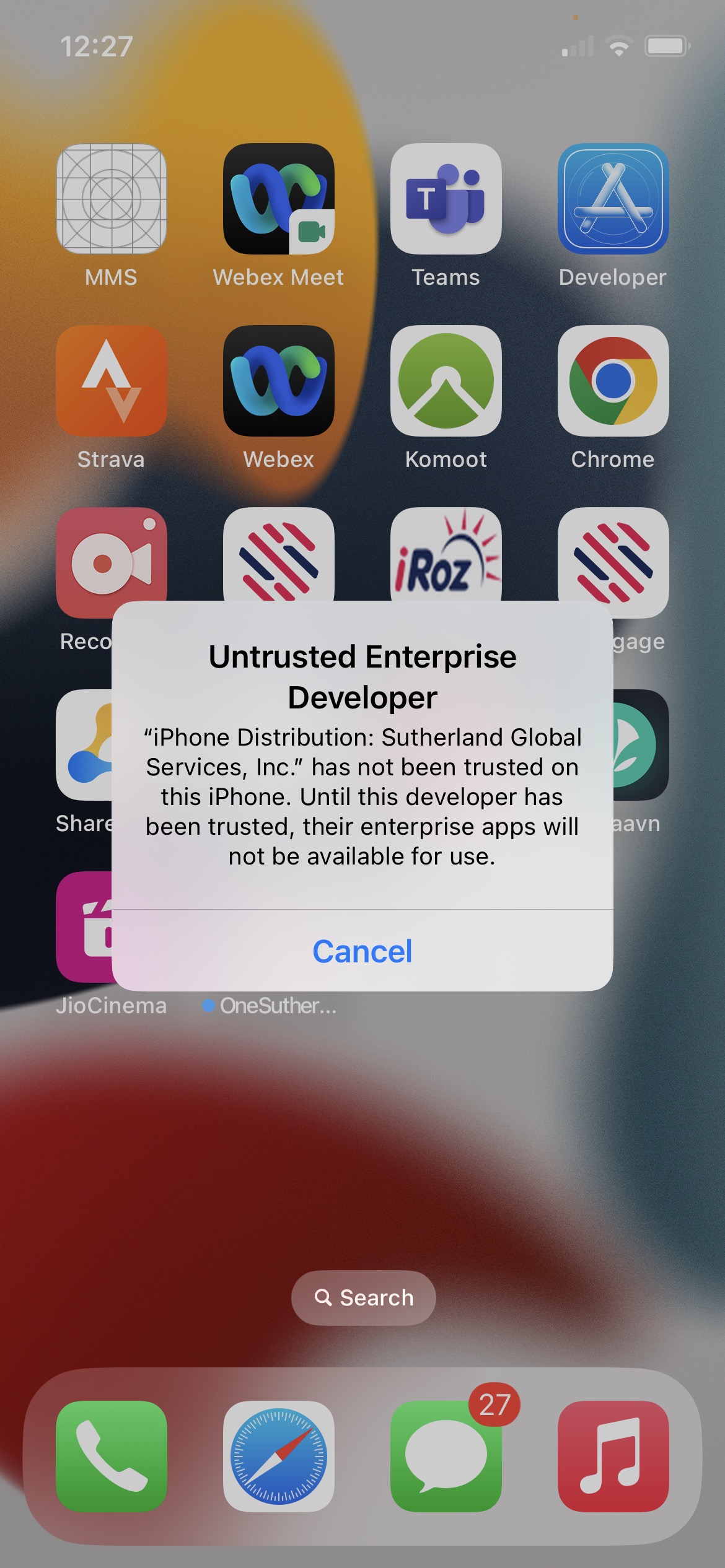
Click Sutherland Global Services, Inc.
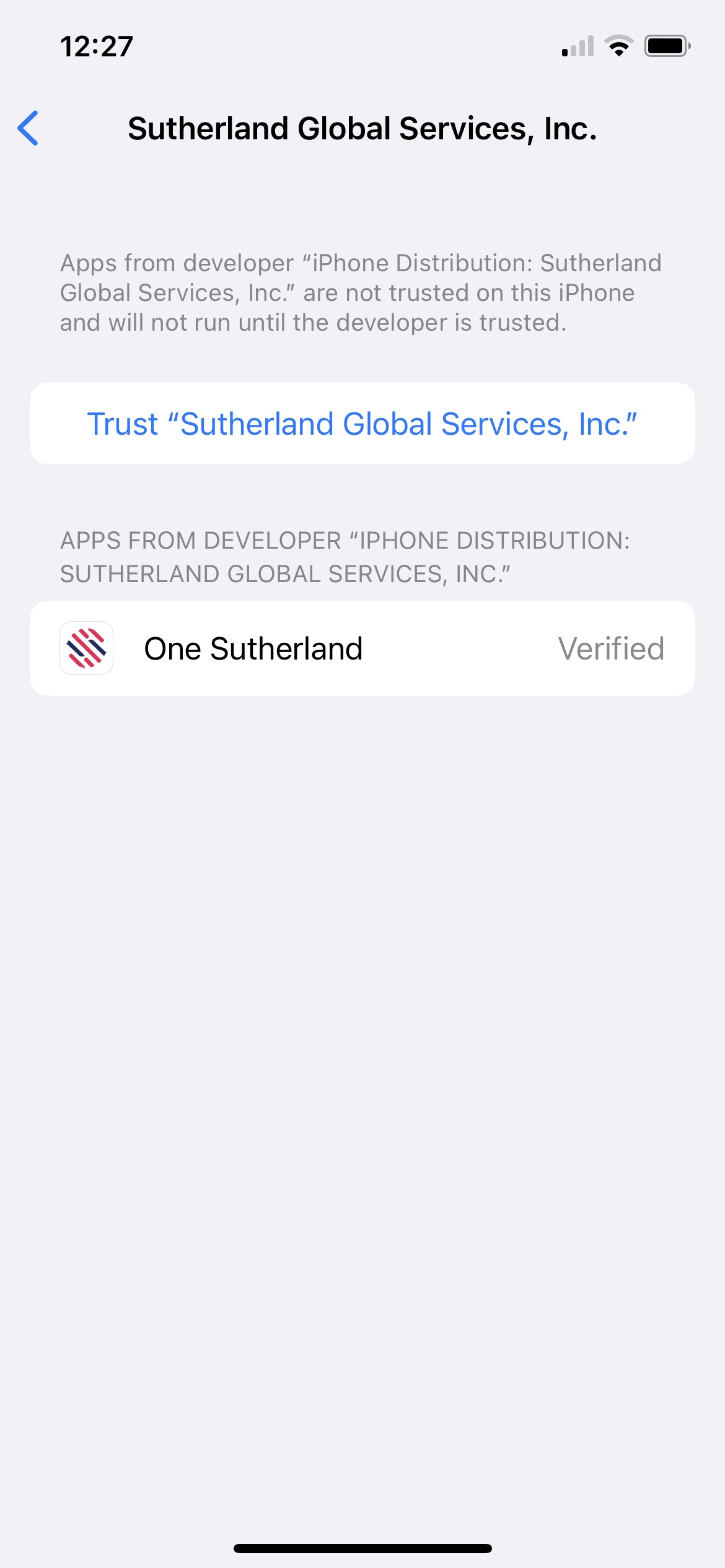
6
Click Trust Sutherland Global Services, Inc.
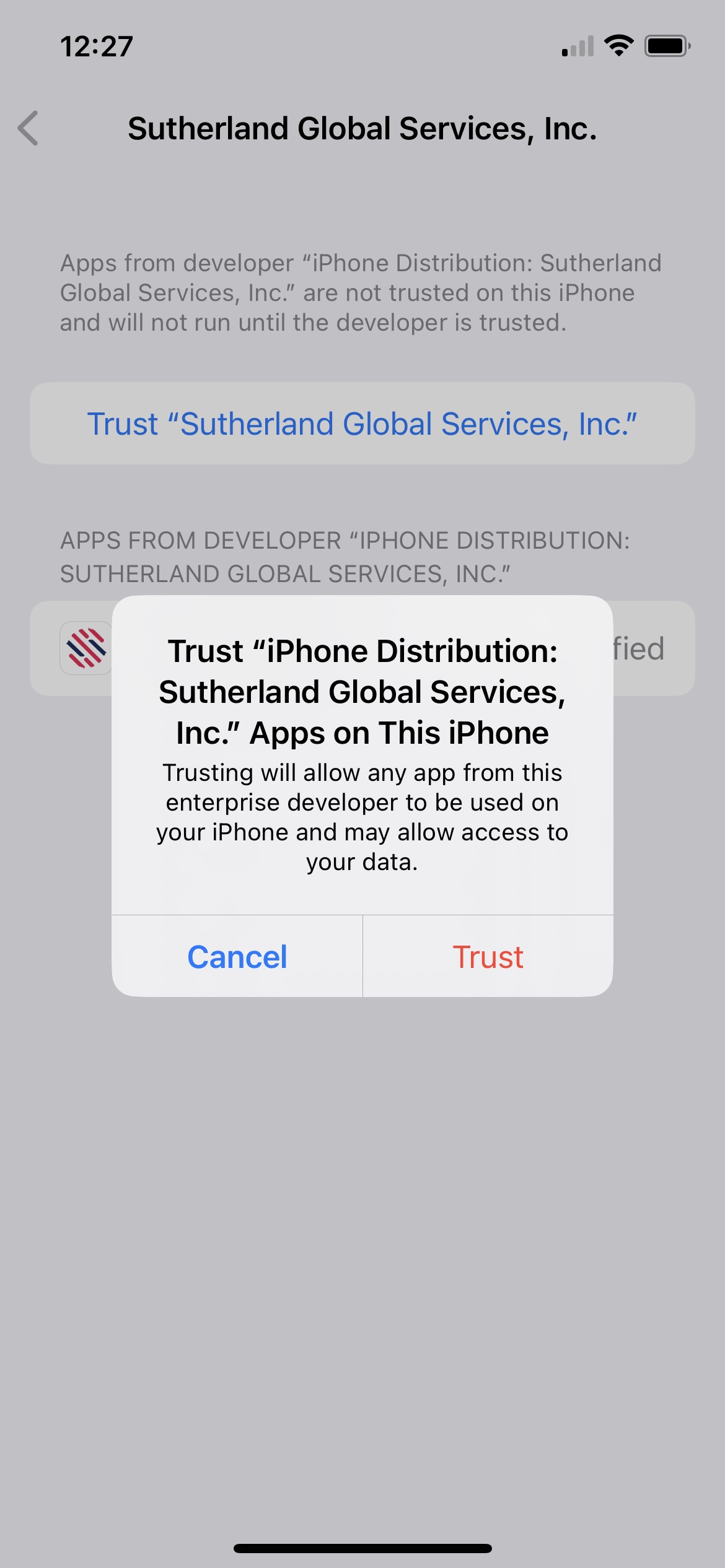
7
Click on Trust
 One Sutherland App Installation Guide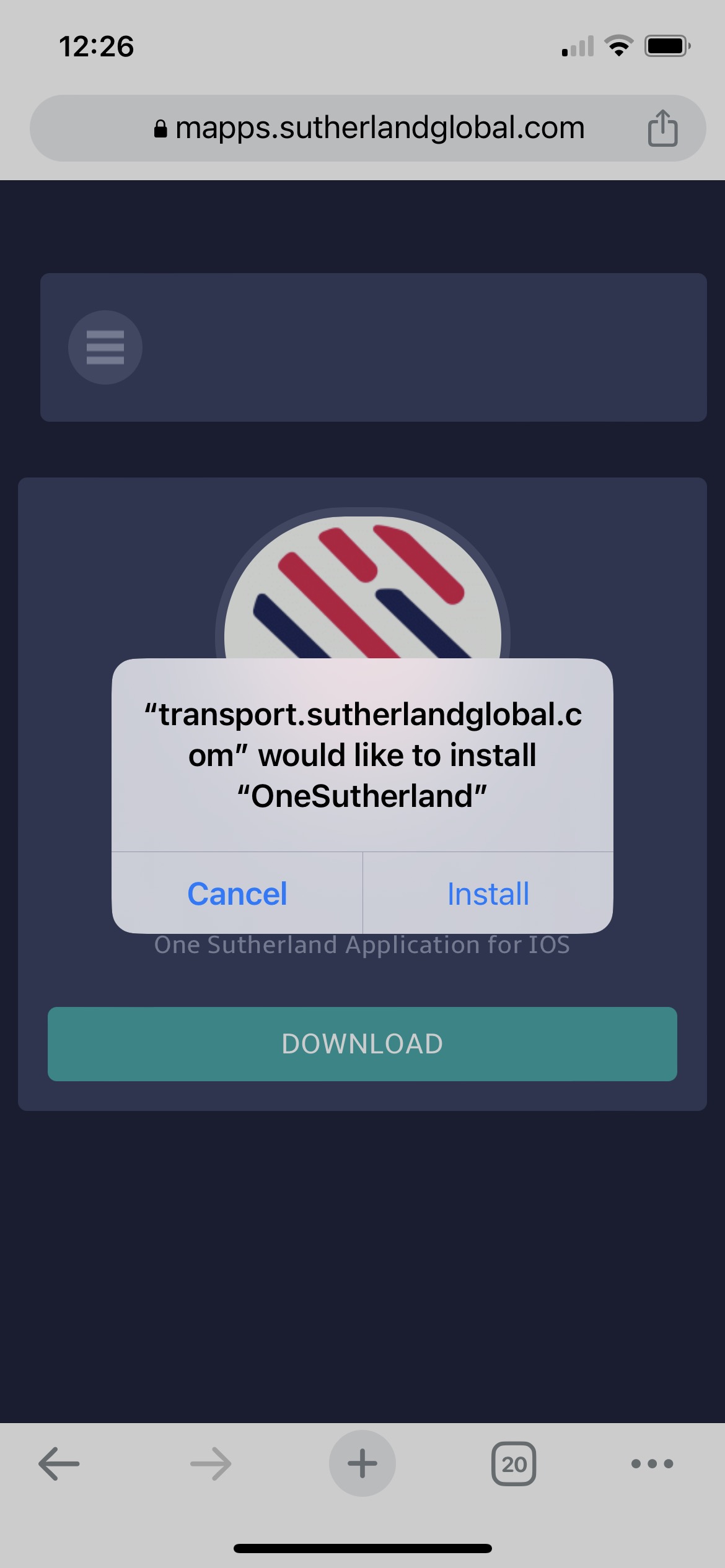
 One Sutherland App Installation Guide